
What should sports CRM software help your team manage beyond who booked? For sports and activity providers, a useful system connects participant records with bookings, payments and programme delivery, giving your team a clearer view of what’s happening across activities.
If participant details sit in one tool, bookings in another and payment information somewhere else, keeping records aligned can take valuable time. Manual administration can also make it harder to oversee sessions and understand programme performance. Rather than looking for the longest list of features, focus on software that fits the way your organisation operates.
This practical checklist will help you assess what to look for, identify where connected records could improve oversight and build a clear shortlist. We’ll cover online registration and booking, customer accounts and payment collection, activity and staffing coordination, and reporting for management teams, funders and commissioners. You’ll also consider how a platform can support day-to-day delivery without duplicating specialist workflows. Use the questions to focus your evaluation on your programmes, your team and the participants you serve.
Key Takeaways
- Trace how participants move from finding an activity to booking and attending, then identify where information gets re-entered or lost.
- Assess sports CRM software by how well it connects operational workflows, not simply by how many contact records it can store.
- Use a practical checklist to compare software against your programme needs, staff processes and reporting priorities.
- Look for joined-up activity and staffing coordination to strengthen oversight across sessions and locations.
- Build a focused shortlist around the records and workflows your team needs to manage effectively.
Why sports CRM software needs to fit activity delivery
When participant details are in one spreadsheet, bookings in another and payment updates in an inbox, staff may have to enter the same information more than once. That adds administration and makes it harder to see how activities are running across a programme. Sports CRM software for activity providers should support the work behind participation, not just hold names and contact details.
Customer relationship management (CRM) describes the broader practice of organising and managing an organisation’s relationships and interactions. For an activity provider, that means connecting customer and participant information with the activities people book and attend. This differs from a recruiting platform built to track prospective athletes or a generic sales pipeline designed to move business leads through sales stages. Those tools can organise contacts, but activity delivery has its own operational requirements.
What does sports CRM software manage?
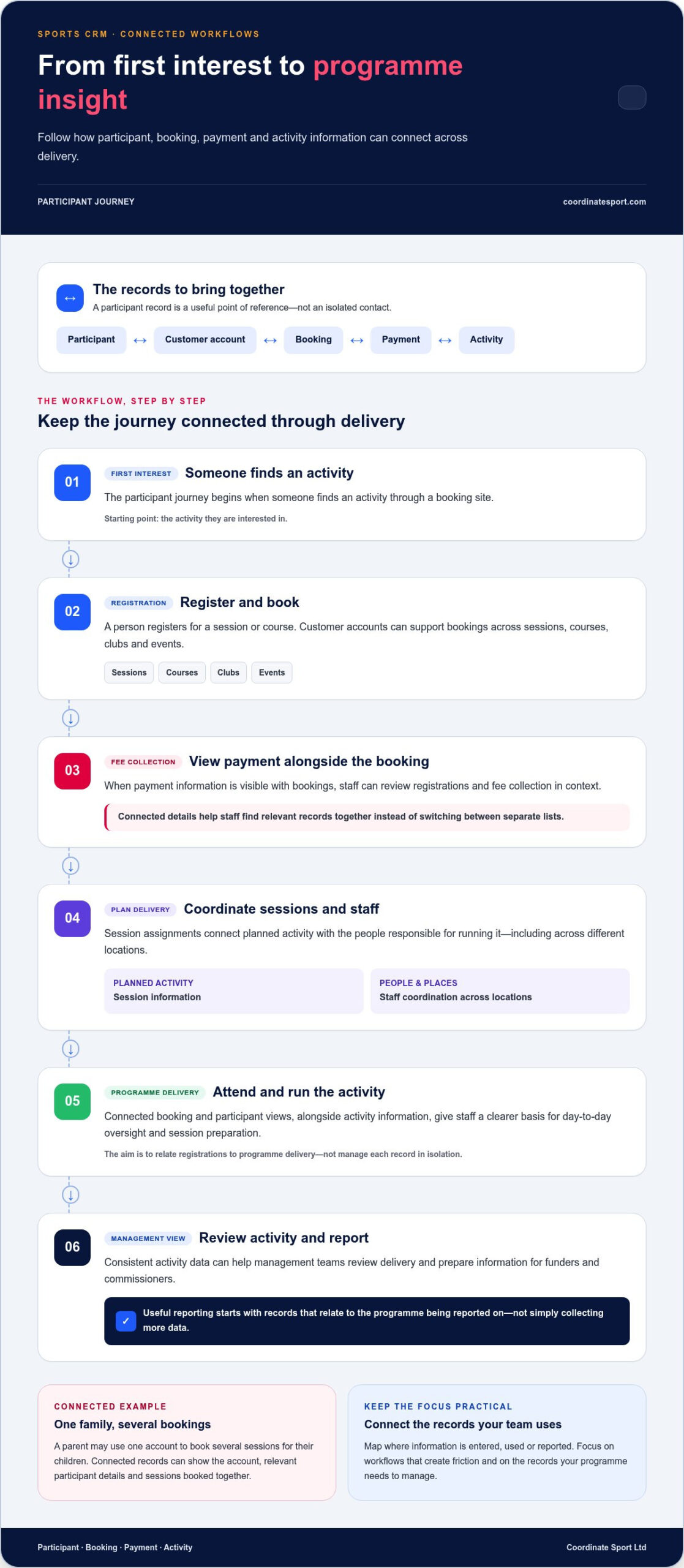
Think of a participant record as a useful point of reference, not an isolated row in a spreadsheet or a name in an email address book. It can be linked to a customer account, booking history and programme activity, helping staff understand the context of someone’s participation.
For example, a parent might use one account to book several sessions for their children. Connected records can help staff see the account, the relevant participant details and the sessions booked, rather than searching across separate lists. The aim is to make information easier to find and use while keeping records relevant to the activities your organisation delivers.
Where disconnected systems create extra work
Separate booking, participant and operational records can lead to repeated data entry. A change recorded in one place may not be reflected elsewhere, leaving staff to check which version is current before responding to a customer or preparing for a session. Every hand-off can make it more difficult to keep information consistent.
Bringing booking and participant views together with activity information gives teams a clearer basis for day-to-day oversight. Staff can relate registrations to programme delivery, while managers can see activity in context. The right setup depends on what you run and how your team works: a provider managing clubs may have different priorities from one delivering courses, events or holiday programmes. Start with the workflows that create the most friction, then identify which records need to connect. This keeps your evaluation focused on practical outcomes rather than features your team won’t use.
Which sports CRM workflows should connect in one system?
Follow the participant journey from first interest to attendance. Someone finds an activity through a booking site, registers for a session or course, completes payment and then attends. Each step creates information your team may need later. If those details sit in separate systems, staff can spend time matching records instead of preparing and coordinating delivery.
A connected sports CRM workflow brings participant, booking, payment and activity information together so teams can follow each registration from sign-up through delivery. The connections you need depend on your programmes. The practical aim is to reduce repeated administration and give staff a clearer view of what’s booked and what needs attention.
Connect participant records with bookings and payments
Customer accounts can support registrations across sessions, courses, clubs and events. When a booking is linked to the relevant participant and account, staff can find the details together rather than switching between lists. Viewing payment information alongside bookings can also help teams review registrations and fee collection in context.
For example, a family might book several activities over a term. A connected view can help staff distinguish each participant’s registrations while keeping them associated with the family account. This can make routine queries easier to handle and help staff understand participation across activities. Professional teams may use CRM for supporter relationships and engagement, as explored in how sports teams use CRM. Activity providers have a different operational journey to coordinate, from registration and payment to attendance.
Bring staffing and reporting into the operational picture
Bookings are only one part of delivery. Session assignments and staff coordination connect planned activity with the people responsible for running it, including across different locations. When staff can work from relevant activity information, coordination becomes part of programme management rather than a separate task based on disconnected records.
Consistent activity data can give management teams a more useful basis for reviewing delivery and preparing information for funders and commissioners. The value depends on having records that relate to the programme being reported on, not simply collecting more data.
Map your own process from discovery to attendance, then note where information is entered, used or reported. This gives you a focused basis for assessing sports CRM software against real operating needs. Explore Coordinate Sport’s activity management and booking platform to see how these workflows can come together.
Is sports CRM software just a contact database? Compare the real capabilities
Contact storage is a starting point, not a complete way to manage sports activities. A list of names can help staff find a participant’s details, but it won’t, on its own, organise registrations, track payments, coordinate staffing or show how programmes are running. To assess sports CRM software, compare how each option supports the work around a participant, not just what information it stores.
A generic CRM tracks relationships; sports activity management software connects those relationships to the bookings, people and reporting needed to deliver programmes. The distinction is about operational fit, not whether one category is automatically better. A general CRM may suit relationship tracking, while activity-specific tools are designed around the practical steps involved in organising sessions, courses, clubs and events.
| Capability | Standalone contacts | Booking tool | Connected activity management |
|---|---|---|---|
| Participant records | Stores contact details | May capture details during registration | Relates participant and account records to activity |
| Registration | Usually managed elsewhere | Supports bookings for its intended activities | Connects registrations with participant records |
| Payments | May require a separate process | May collect fees for bookings | Brings payment information into the activity view |
| Staffing | Not typically the main focus | May not cover staff coordination | Can link staff assignments with activity delivery |
| Reporting | Focuses on contact information | May report on bookings | Can support programme oversight and reporting |
Generic CRM versus sports activity management
A general CRM can organise relationships and communication, while programme administration may remain in separate booking, payment or staffing tools. Staff then need to move between systems to understand what a participant booked or how an activity is being delivered. Connected activity management keeps operational records in view alongside customer information, giving teams a more useful basis for day-to-day decisions. The wider application of sports analytics also illustrates how organised data can inform strategic decisions.
All-in-one platform versus separate tools
Separate tools can work well when processes are simple and hand-offs are manageable. As programme needs become more involved, records spread across systems can make it harder to maintain a consistent view. An all-in-one platform can provide continuity across booking and activity workflows, but that does not mean every existing tool will connect automatically. Consider your programme complexity, current processes and which teams need access to the same information. Choose the setup that gives you useful visibility without adding unnecessary steps.
How to assess sports CRM software: a practical checklist
Compare systems against the work your team actually does, not a feature list in isolation. Before reviewing options, map a real booking journey from registration through payment and activity delivery. Note who handles each step, what information they need and where the process currently slows down. This gives you a practical measure of fit.
Start with the programmes and people you manage
Build a simple picture of your operating model first. Include the activities you run, the locations involved, the participant groups you serve and the staff roles that support delivery. Then identify the tasks that create the most repeat administration, such as updating participant details or checking booking information across separate records.
Use this checklist to keep your review focused:
- Map your programmes. List your sessions, courses, clubs, camps, holiday programmes or events, along with the locations and participant groups involved.
- Trace the information. Record where registration, account, booking and payment details are held, and where staff have to re-enter or search for them.
- Separate essential needs from future improvements. Mark the workflows your team must manage now, then note useful capabilities that may matter as your programmes develop.
Test the workflow, oversight and reporting
Take a typical booking and walk through the steps with the people who handle them. Can they follow registration through the customer account, payment and activity record? Can the relevant team members see the information they need to coordinate delivery? Staff need to be able to find and update the right records as part of their routine, so include ease of use in your assessment.
- 4. Check the connected journey. Follow a participant through registration, account management, payment and activity coordination. Look for avoidable hand-offs or repeated entry.
- 5. Test the reporting questions. Identify what managers and funders need to understand about programme delivery. Assess whether the available activity data can support those questions clearly.
Keep the review grounded in your processes. A provider running a small number of activities may prioritise straightforward booking oversight; a more complex programme may need clearer coordination across staff and locations. Your checklist helps you distinguish between the capabilities you need now and those that may become useful as your programmes develop.
Use your checklist to assess sports CRM software against the workflows that matter most to your organisation. Explore Coordinate Sport’s sports CRM and booking platform as you shape your shortlist.
Manage sports programmes with a connected CRM and activity platform
Choose around the workflows your organisation needs to manage, not the CRM label alone. The right platform should make it easier to relate participant administration to bookings, activity delivery, staffing and reporting. That gives your team a more practical view of programme operations than a contact database on its own.
How Coordinate Sport supports activity-provider operations
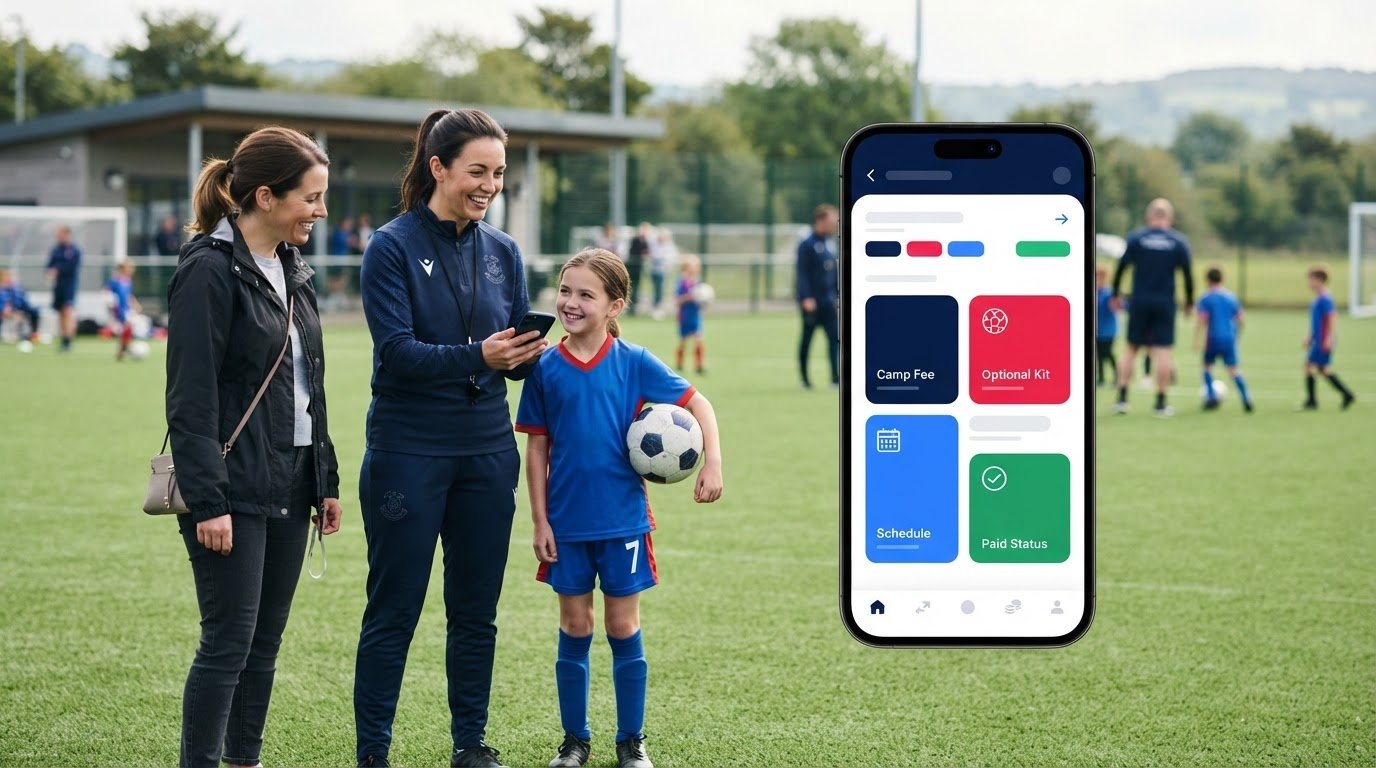
Coordinate Sport brings sports CRM, activity management and online booking together for sports and activity organisations. Providers can manage online booking and registration with connected sports CRM for sessions, courses, clubs, camps, holiday activity programmes and events. Branded booking portals give customers a place to register, while customer accounts help keep participant information connected with activity. Online payments and fee collection support the booking journey alongside those records.
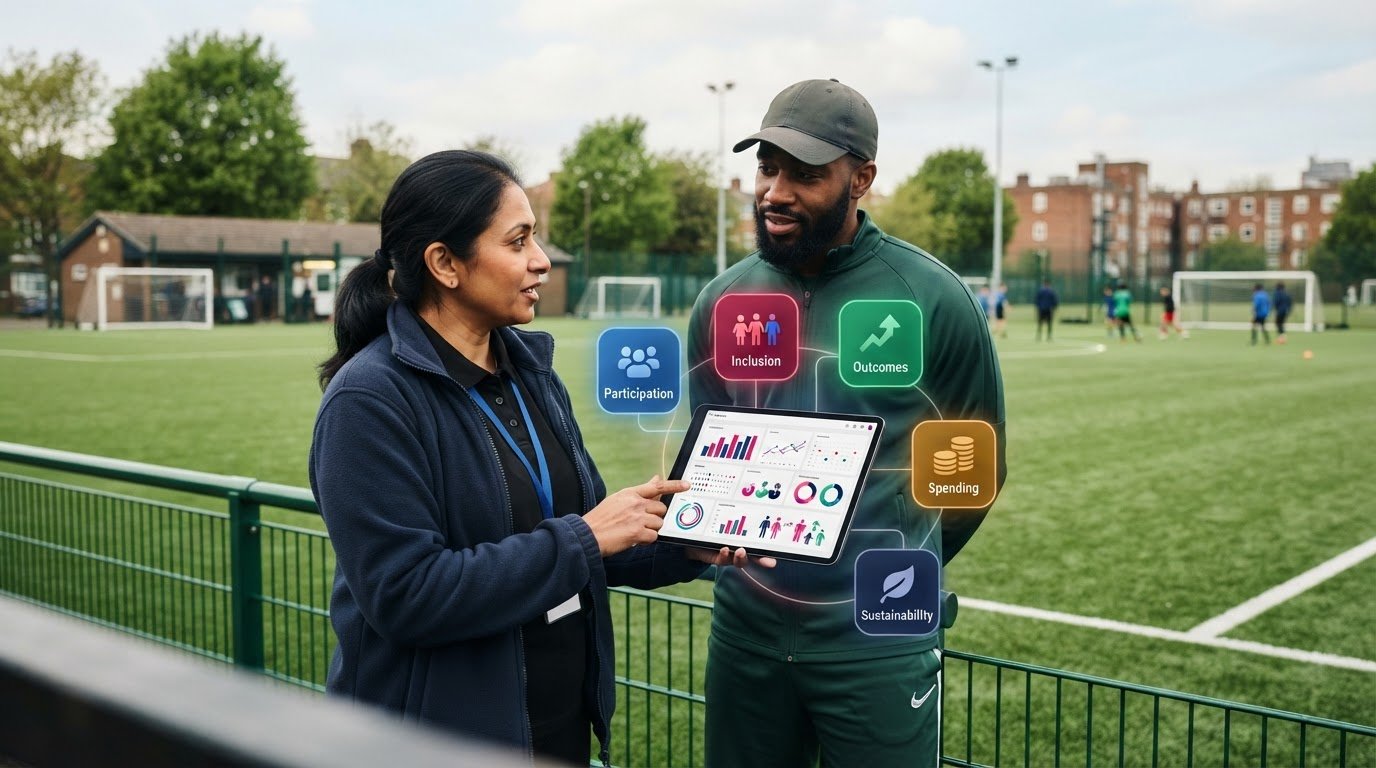
Activity delivery is part of the picture too. Coordinate Sport’s specialist staffing application supports assigning and coordinating activity staff across locations. Reporting and data help management teams, funders and commissioners review programmes. Bringing booking, participant and activity information into closer view helps teams build operational oversight around the way their programmes run.
These capabilities are most useful when they match the steps your staff and customers need to complete. A registration should make sense in the context of the activity, participant and relevant account. Staff coordination should relate to delivery, and reporting should help answer real questions about the programme rather than create another set of disconnected records.
Turn the checklist into a confident next step
Use the checklist to compare your current workflow with the capabilities you need. Where does participant information sit? How are staff assignments coordinated? What do managers and funders need to see about programme delivery? Your answers can clarify which connections matter most and where your existing process could work more smoothly.
There’s no need to prioritise every possible feature at once. Start with the activities and administration that matter most to your organisation, then consider how connected sports CRM software could support those workflows. A focused review of bookings, participant records, staffing and reporting gives you a sound basis for deciding what better oversight should look like.
Explore Coordinate Sport’s activity management and booking platform to see how its capabilities relate to your programme needs.
Choose software that moves your programmes forward
The strongest choice isn’t defined by the CRM label alone. Look for a practical fit with your organisation’s activities, staff and processes. Connected participant, booking and payment records can reduce repeated administration, while staffing coordination and useful reporting help teams keep programme delivery in view.
Use your checklist to focus on the workflows that matter most: how people register, how staff coordinate activities and what managers or funders need to understand. That gives you a clear basis for assessing sports CRM software and building a focused shortlist, without being distracted by features that don’t support your operating model.
Coordinate Sport brings together online booking and registration for sessions, courses, clubs, camps, holiday programmes and events, alongside staff coordination and reporting for activity providers. Explore Coordinate Sport’s platform for managing sports activities and see how its capabilities relate to your checklist.
Take the next step with a clearer view of what your programmes need. Explore Coordinate Sport’s platform to see how connected booking, activity management and staffing tools can support your workflows.
Frequently Asked Questions
What is sports CRM software?
Sports CRM software organises customer and participant relationships alongside information about sports activities. For an activity provider, that can mean connecting account and participant records with registrations, bookings and programme delivery, rather than storing contact details alone. Depending on the platform, it may also support online payments, staff coordination and reporting. The practical test is whether it helps your team manage the activity journey and the information needed to oversee it.
Is sports CRM software different from sports club management software?
The names can overlap, so compare capabilities rather than relying on labels. Some club management systems focus on membership administration, while sports CRM software may centre on relationships and communication. An activity management platform can also connect participant records with registrations, payments, staffing and programme reporting. Consider what your organisation needs to run its activities: a club’s membership processes may differ from a provider delivering courses, events or programmes across locations.
Can sports CRM software manage bookings and online payments?
Some platforms combine online booking and registration with payment processing, while others focus on contact management and leave these tasks to separate tools. Check whether the system supports the activities you run, such as sessions, courses, clubs, camps or events, and whether booking details relate to the relevant participant or customer account. Seeing payment information alongside registrations can help staff review activity and fee collection in context.
Can a sports CRM manage participants across multiple programmes?
It can if the platform lets teams relate participant records to bookings across different programmes. A customer account, for example, may be associated with registrations for several sessions, courses or events. This can help staff understand participation without keeping a separate contact list for every activity. Assess whether the records remain clear for your organisation’s needs, particularly where one account is used to manage bookings for multiple participants.
How can sports activity providers use CRM software to coordinate staff?
Providers can use a staffing application to connect staff assignments with the activities and sessions they support. This can help teams coordinate schedules, track workforce information and organise deployment across locations. The aim is to bring staffing into the programme’s operational picture, rather than manage it as an unrelated task. Check that staff can access clear assignment information as part of their normal activity-delivery process.
What should I look for when choosing sports CRM software?
Start by mapping a real booking journey, from registration to payment and activity delivery. Then assess whether the system fits your programmes, keeps participant and booking records clear, and is straightforward for staff to use. Consider staffing coordination and the reports managers need, too. Separate essential workflows from future improvements, and compare platforms against your current processes rather than choosing by feature count alone.
Can sports CRM software report programme data to managers and funders?
Some platforms provide reporting and data for management teams, funders and commissioners. Useful reporting starts with consistent activity records, so teams can review information relevant to programme delivery rather than assemble disconnected figures from separate systems. Identify the questions your reports need to answer and assess whether the platform’s reporting capabilities can support them. This keeps reporting focused on oversight and the needs of its intended audience.